
Models, Prompts & Permissions
Nothing about an agent is fixed by the tool. In Kiki, the model it runs on, the prompt it starts from, the tools it may call, the sign-in it uses, and what happens when it wants to act are all yours to set — as files, as settings, or as a rule you write. This page walks that stack from the bottom up: agent files, prompt overrides, connections and OAuth, permission modes, and hooks.
Markdown agents
Every agent — the main one and each subagent — is a single Markdown file. The frontmatter declares its name, description, tool allowlist, model binding, and more; the body is the agent's system prompt. A profile is not just tools and permissions: it also carries which model and thinking effort the role runs on, the execution settings around it, and the prompt it starts from. Editing a file changes all of it, because they are all in the same place.
Kiki discovers profiles by scope, and more specific scopes win: explicit (--agent-file) > project > extra directories > user > built-in copies > plugin. Common locations are <project>/.kiki/agents/ for a repository and $KIKI_HOME/agents/ for you. Files are watched: an edit reloads in about 200 ms with no restart, and a newly dispatched subagent picks it up immediately. An existing session's main agent keeps the snapshot it started with, so use Rebuild context to apply an edit without losing the conversation.
You do not have to write one from scratch. In the app, a new profile starts by copying an existing one, from one of the shipped templates (implementer, reviewer), or blank. $KIKI_HOME/SYSTEM.md permanently overrides the default main agent's prompt.
See Agent profiles: concepts and design and Agent file format.
Prompt field overrides
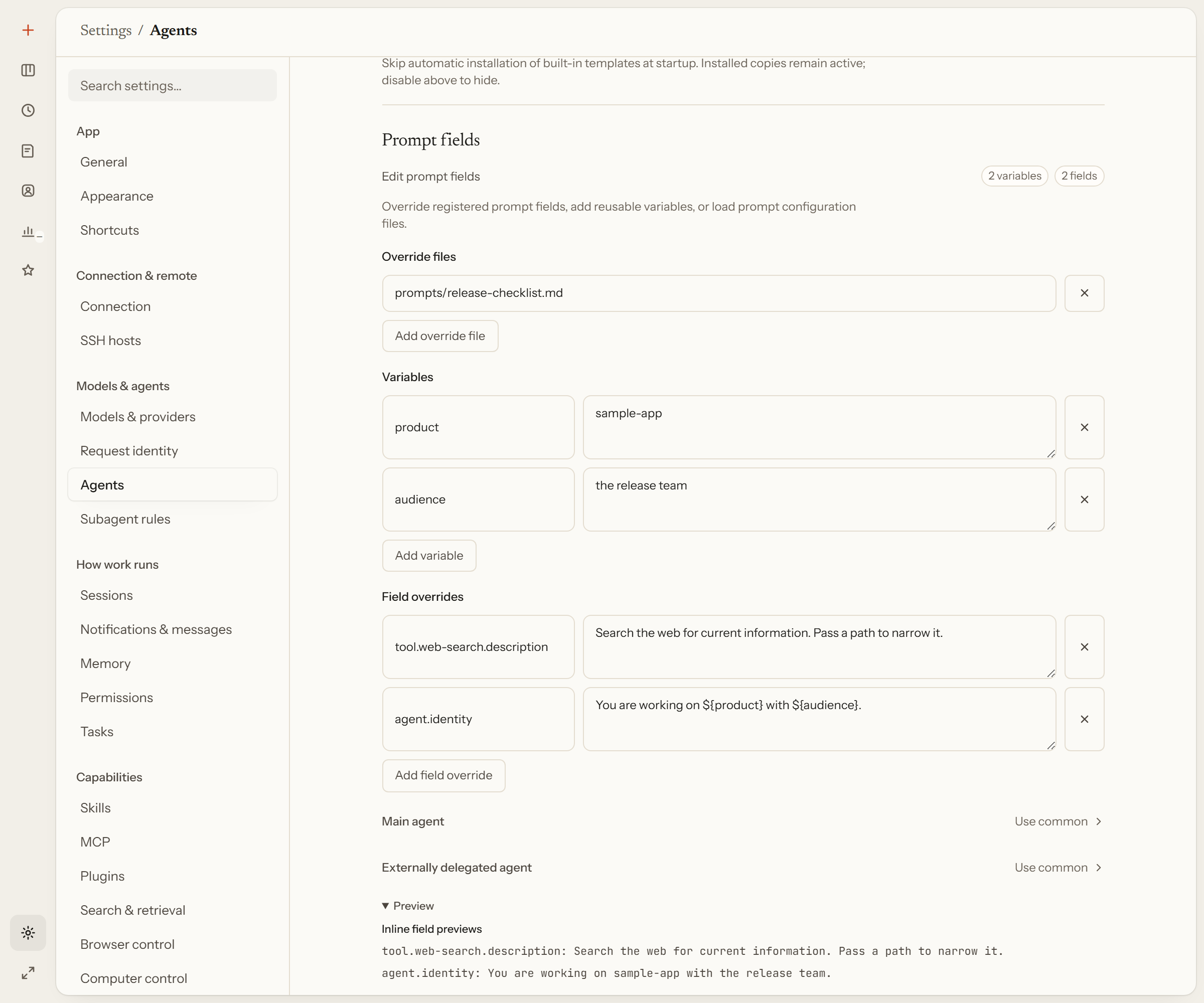
You do not need a fork of a profile to change a sentence. Prompt field overrides replace named text units in the built-in prompt — the system sections, a tool description, a delegation notice — globally, per model, or per agent. A useful field id is as small as tool.web-search.description. Field values replace; they do not append or wrap.
kiki prompt-fields is the read-only surface for this: list shows the registry, show the current value, explain where each layer's value came from. In the desktop app, Settings → Agents → Prompt fields edits the same thing in config.toml. See Prompt field overrides.
Connections & OAuth
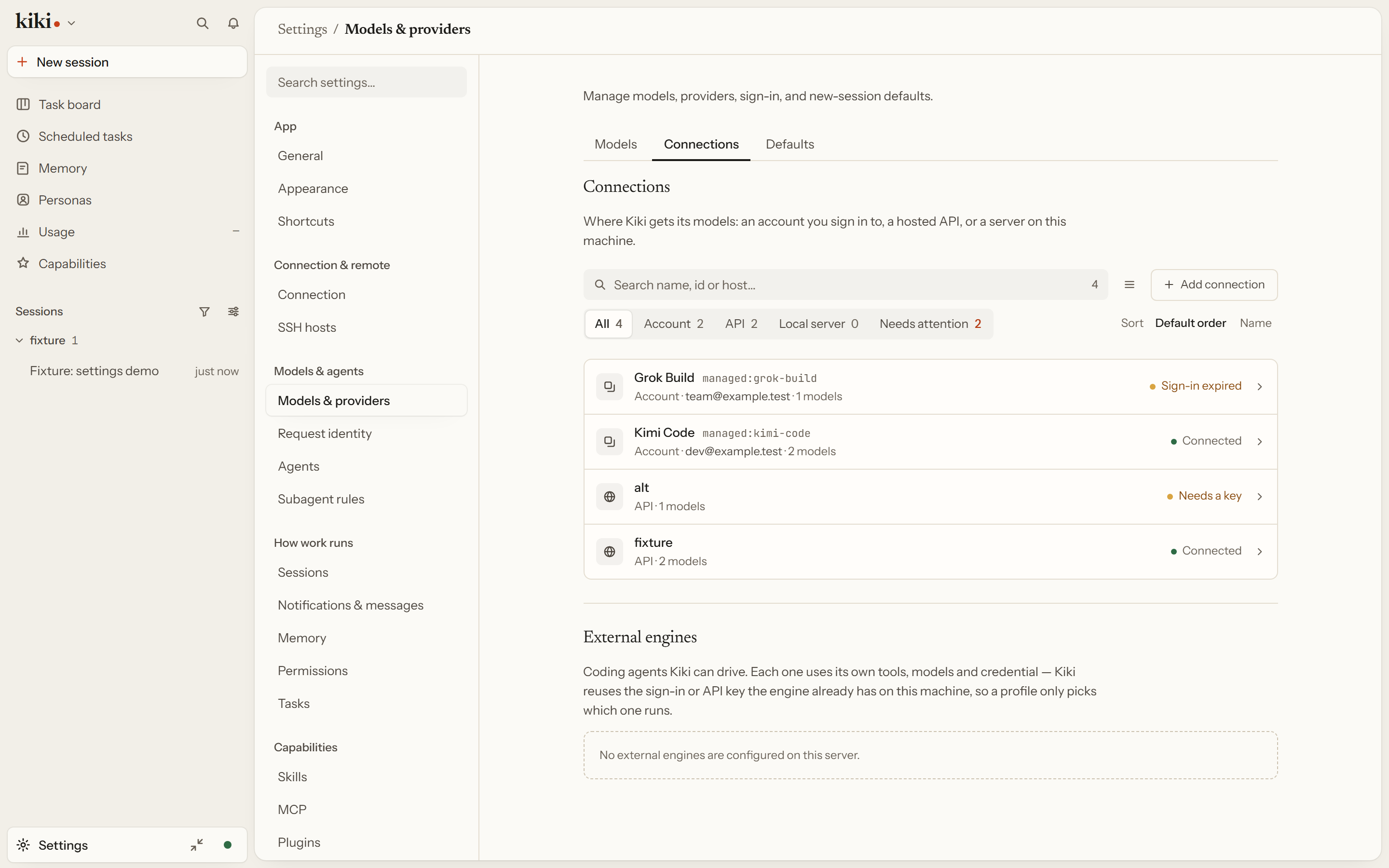
Settings → Models & providers → Providers & accounts is a single list, and every way Kiki reaches a model is a connection — an account you sign in to, a hosted API you hold a key for, or a server on this machine. Each connection is one row saying how it is reached, what it carries, and whether it works. How a connection authenticates is part of that row, not a second list you have to keep in step.
Add connection asks one question: which service, by what means.
- Sign in with an account — the subscriptions this server offers: Kimi Code, a ChatGPT account for Codex, a Grok Build account, or GitHub Copilot. An account you already have a connection for is not offered again, and a stale sign-in is recovered on its own row.
- From the directory — pick a service from models.dev and Kiki fills in its address and model list. An id that already exists updates that connection, and the form says so before you press.
- Enter it myself — a protocol, an address, and a key, for a service the directory does not have, including a local server.
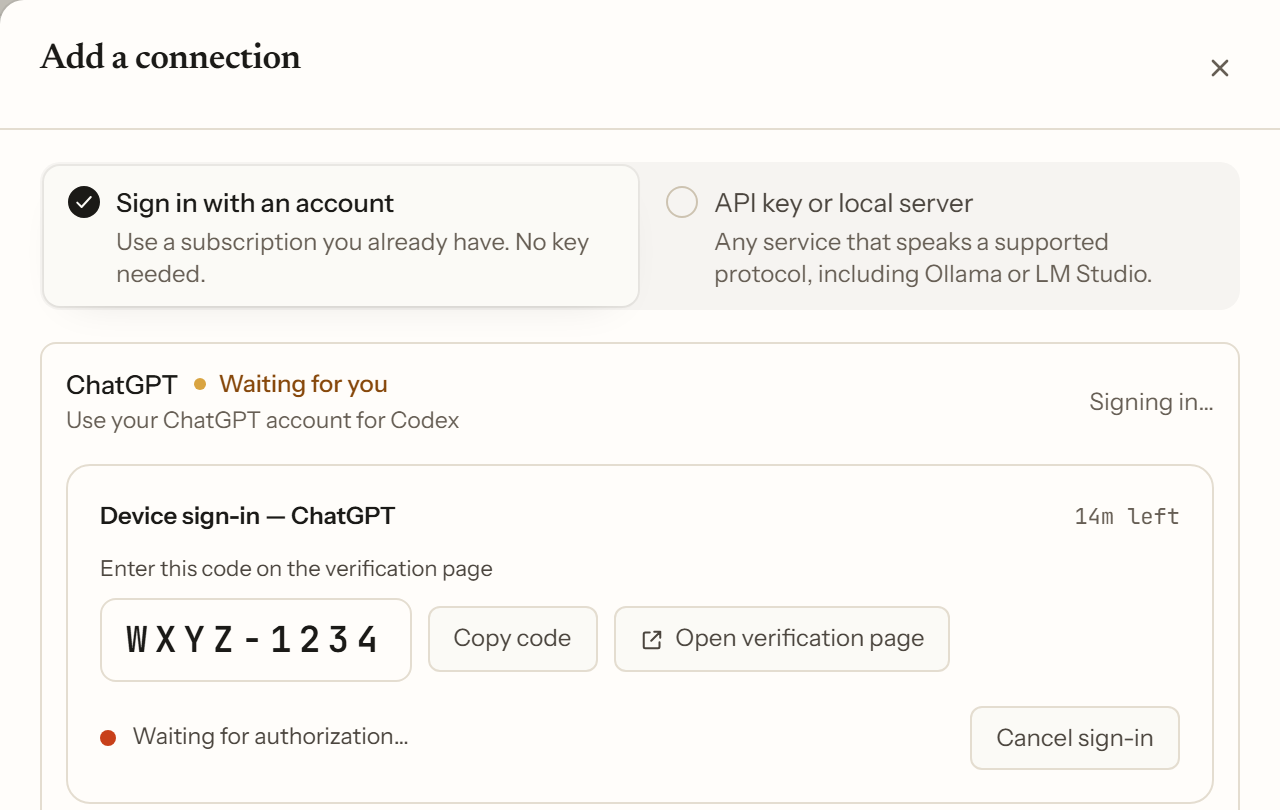
Account connections use OAuth. The device flow shows you a code, an Open verification page link, how long it stays valid, and Cancel sign-in, and the row's status is a word meant for a person: Connected (Kiki renews it on its own), Sign-in expired (the provider no longer accepts it), Sign-in didn't finish (you declined it, the code expired, or it failed), or Waiting for you. Signing out ends that sign-in in Kiki and removes the models it provisioned; it does not sign you out at the provider.
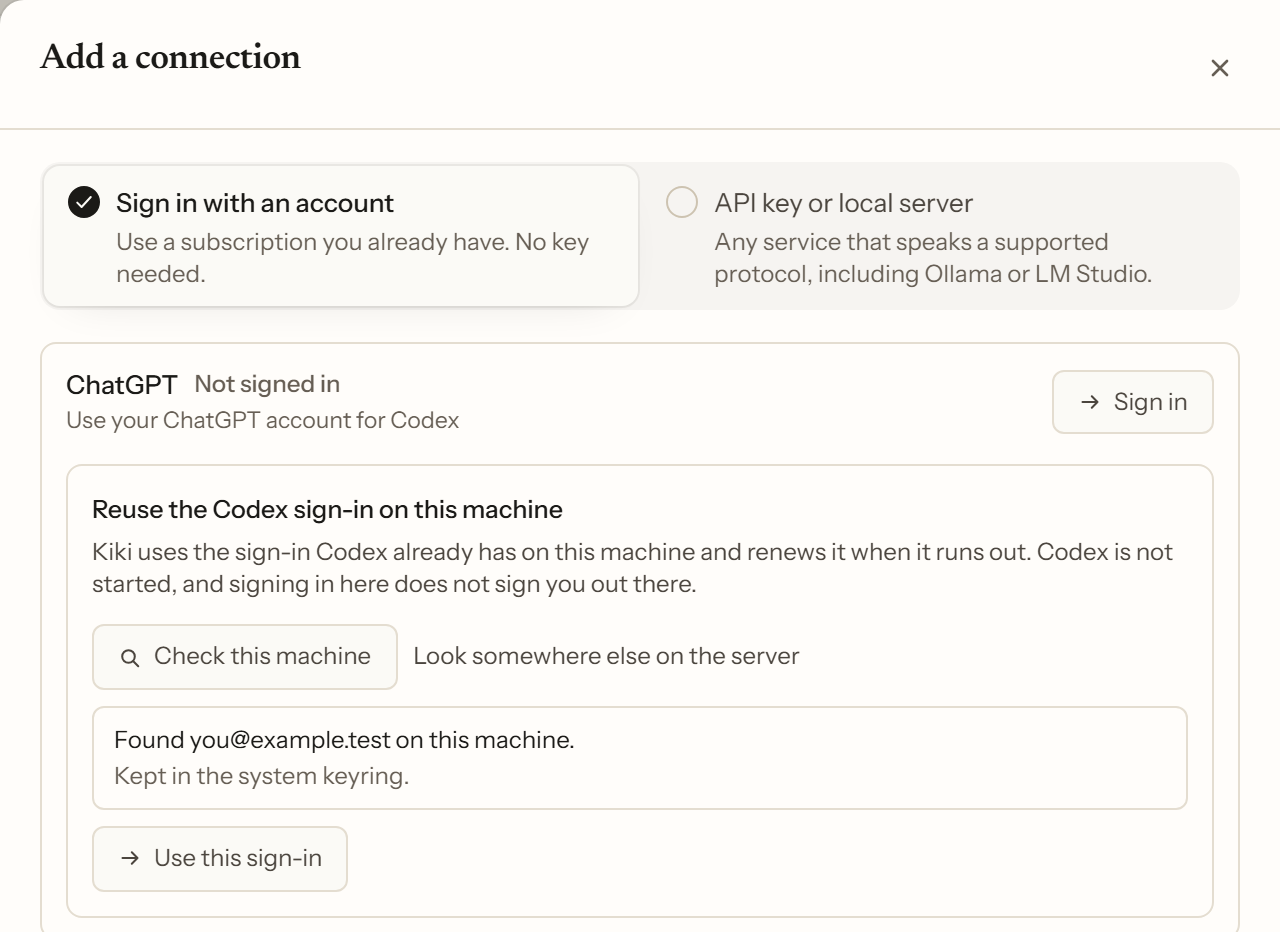
Reusing a sign-in this machine already has is one way to get an OAuth credential, not a rival to it. For ChatGPT (Codex) and Grok Build, a connection can use the sign-in their own app already holds on this machine. Kiki reuses it and renews it; it does not copy the credential, does not start the other app, and signing in or out here does not change anything there. The order is deliberate: Check this machine first reports which account is on the other side and where it is kept, and only then is Use this sign-in offered — carrying the account it just showed you, so a credential replaced in between is refused rather than adopted silently. When the machine cannot be used, the page says why in terms you can act on.
A sign-in that completes adds that account's models to the catalog. Providers & accounts is the authority on what you can actually use right now: expand a connection to inspect its Models list. See Connections.
Permission modes
/permission switches among Manual, Auto, Approve for me, and YOLO. In the default Auto mode, routine tool calls run without asking, but sensitive-file and external-link access still request approval. Manual asks before shell commands and workspace-external writes, while trusted-workspace Write / Edit calls run without per-file approval. YOLO skips sensitive-file prompts unless a rule explicitly denies them. An explicit deny always wins, and the agent can still ask you questions in any mode.
Approve for me behaves like Auto but routes policy-generated approval requests to a reviewer you configured first. An explicit ask rule still comes to you; a confident reviewer decision is recorded with reviewer attribution; and uncertain or unavailable review falls back to your ordinary approval panel.
Plan mode is a separate axis: the agent produces a plan and waits for your approval before modifying files. Exiting Plan mode requires confirmation even in YOLO, except in Auto and Approve for me, where plan exits are auto-approved and marked as such. See Interaction and input and /permission in the config reference.
Lifecycle hooks
A hook runs your script on a lifecycle event — a tool call, a session event, a subagent completion. You can use one to block a dangerous shell command, to add context when a message is submitted, or to get a notification when a task finishes. Hooks are declarative rules in configuration, and Inspecting effective rules shows what is actually in force.
Hooks also run for external harnesses that act as a main agent, where Kiki's native context groups are exposed over MCP; see Kiki context in external main agents. See Hooks.
Next steps
- Agent profiles: concepts and design — the customization mechanism map
- Connections — the connections list in full
- History Import, IDEs & Engines — where Kiki meets other tools