
Skins, Fonts & Backgrounds
Kiki can look like your editor rather than everyone else's. A skin sets the GUI's palette, fonts, corner radius, and density; a background picture or video can sit behind the window; and an appearance pack bundles colors with art. Everything here changes how it looks without changing what it does — a skin is declarative only, so it cannot hide an approval prompt or run code. This page covers the built-in skins, picking and fine-tuning one, backgrounds, and appearance packs.
Six built-in skins
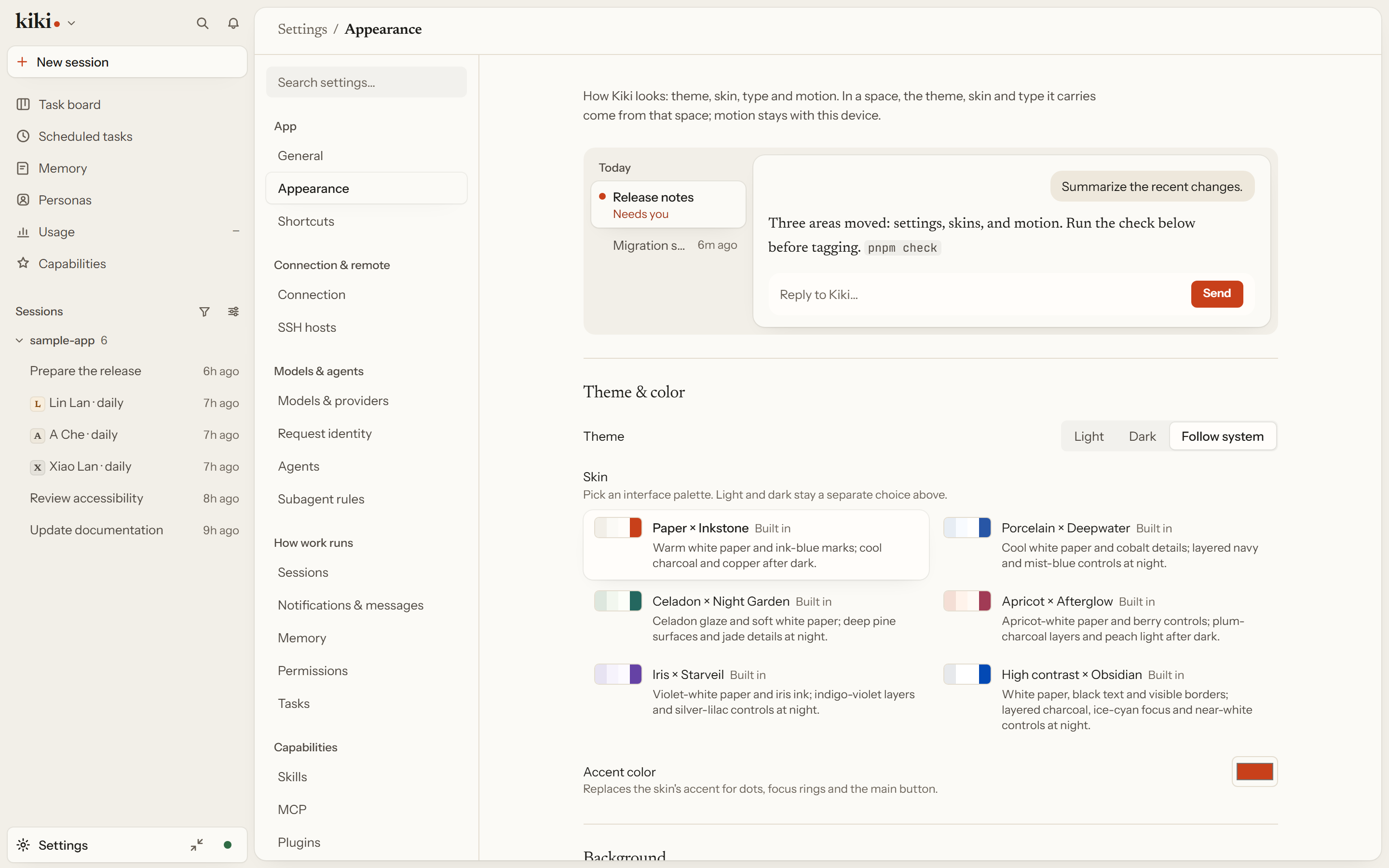
Each skin ships a light and a dark variant; the light / dark switch above the picker decides which one you see. High contrast × Obsidian is there when the default is not enough.
| Skin | What it is |
|---|---|
| Paper × Inkstone (default) | Warm white paper and ink-blue marks; cool charcoal and copper after dark. |
| Porcelain × Deepwater | Cool white paper and cobalt details; layered navy and mist-blue controls at night. |
| Celadon × Night Garden | Celadon glaze and soft white paper; deep pine surfaces and jade details at night. |
| Apricot × Afterglow | Apricot-white paper and berry controls; plum-charcoal layers and peach light after dark. |
| Iris × Starveil | Violet-white paper and iris ink; indigo-violet layers and silver-lilac controls at night. |
| High contrast × Obsidian | Visible borders and AAA main text; layered charcoal, ice-cyan focus and near-white controls at night. |
See Built-in skins for the full table.
Live tuning & export
Settings → Appearance applies a skin immediately. Choose a built-in one, one from your themes folder, one contributed by an enabled plugin, or the colors of an installed appearance pack. On top of whatever you picked, override accent, fonts, radius, and density — each change applies as you make it, and Restore defaults undoes all of them at once.
Export as skin file writes what you currently see to a .json skin file you can keep or share. The first-run Language and look page has the same light / dark choice, the built-in palettes, and an optional background picture.
Skins are GUI; the terminal has its own themes in the same ~/.kiki/themes/ directory, told apart by content (a file with "kind": "kiki-skin" is a skin, anything else is a TUI theme). The two loaders ignore each other's files, so you can keep both side by side. See Custom Themes and GUI Skins.
Image & video backgrounds
Settings → Appearance → Background puts an image or a short video behind the window. Pick a local file (PNG, JPEG, WebP, AVIF, GIF, MP4, or WebM, up to 25 MB for a picture or 100 MB for a video) — it stays on this device and is never uploaded, so it works for a browser tab on a remote server too — or paste an https link, which the server fetches once and keeps the copy locally, so it does not track you and still works offline. Then choose Show behind (the whole window, only the conversation, or only the sidebar), Fit, Anchor, Picture strength, Blur, Brightness, and Soften, plus Panel opacity and Panel blur for how much the sidebar and conversation let the picture through. Separate for light and dark picks a different background per theme.
Text stays readable whatever you pick. Kiki measures the picture and raises Panel opacity just enough that the faintest text keeps WCAG AA (4.5:1) contrast against the darkest and lightest parts of the image, and the setting says when it did. Menus, dialogs, approval prompts, and the composer card always keep a solid background. Video plays muted and looped, and pauses on its first frame while the window is hidden, when reduced motion is on, or when the battery is low and unplugged. See Background picture or video.
Appearance packs
An appearance pack bundles colors with background media and art into one install. It can set a skin and its background together, and can include linked pictures that travel with the pack. A pack can only contain appearance — it does not change behavior, install plugins, or add tools. See Appearance packs.
Next steps
- GUI Skins — writing and distributing your own skin
- Custom Themes — the terminal counterpart
- Plugins, Skills, MCP & Search — plugins, skills, MCP, and search