
Personas & Discussion Rooms
A persona is a long-term identity: a name, an avatar, a job description, the standing rules for how it should work, and its own memory. It is a Markdown file you can read and edit, it has a fixed daily conversation you can return to, and it can take part in a room where several of them discuss a topic. This page covers the persona card, the daily entry, the memory it keeps, and rooms.
A persona is not a profile. A profile is execution configuration: which tools an agent may call, what it is allowed to do, which model and effort it runs on, and the prompt it starts from. A persona is identity: who this is, what it is for, and what it remembers. A persona card names the profile it rides on, and you can rebind that profile without losing the identity.
The persona card
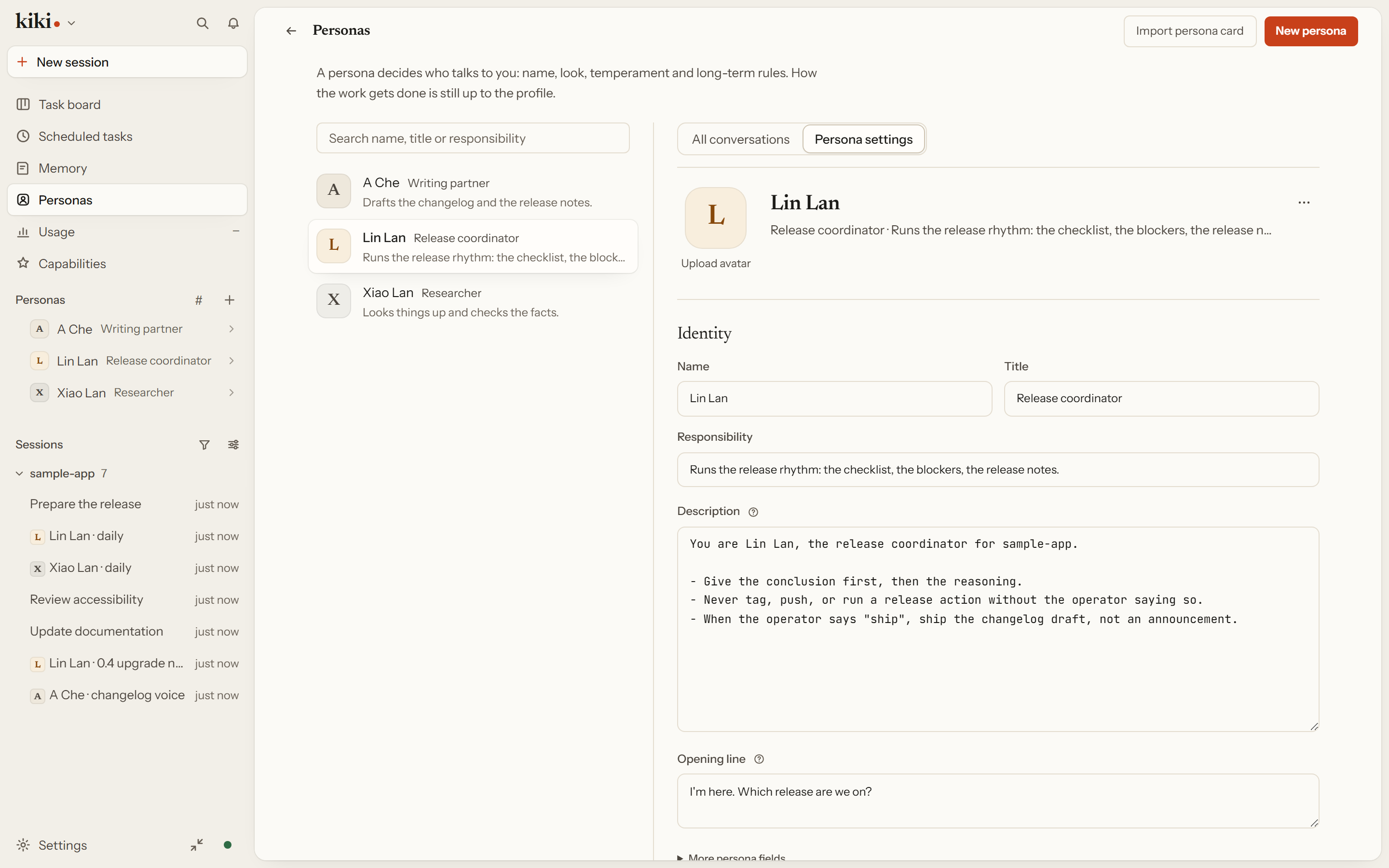
A persona lives at $KIKI_HOME/personas/<id>/persona.md ($KIKI_HOME defaults to ~/.kiki), or you create one on the Personas page. The directory name is the stable ID — lowercase letters, digits, and single hyphens. The Markdown body is the identity; the frontmatter names it:
---
name: Release guide
title: Release coordinator
job: Check release readiness
profile: agent
greeting: What are we preparing to release?
memory:
  shared: [global, workspace]
---
You coordinate release preparation. Ask for missing evidence and distinguish
confirmed facts from open questions.
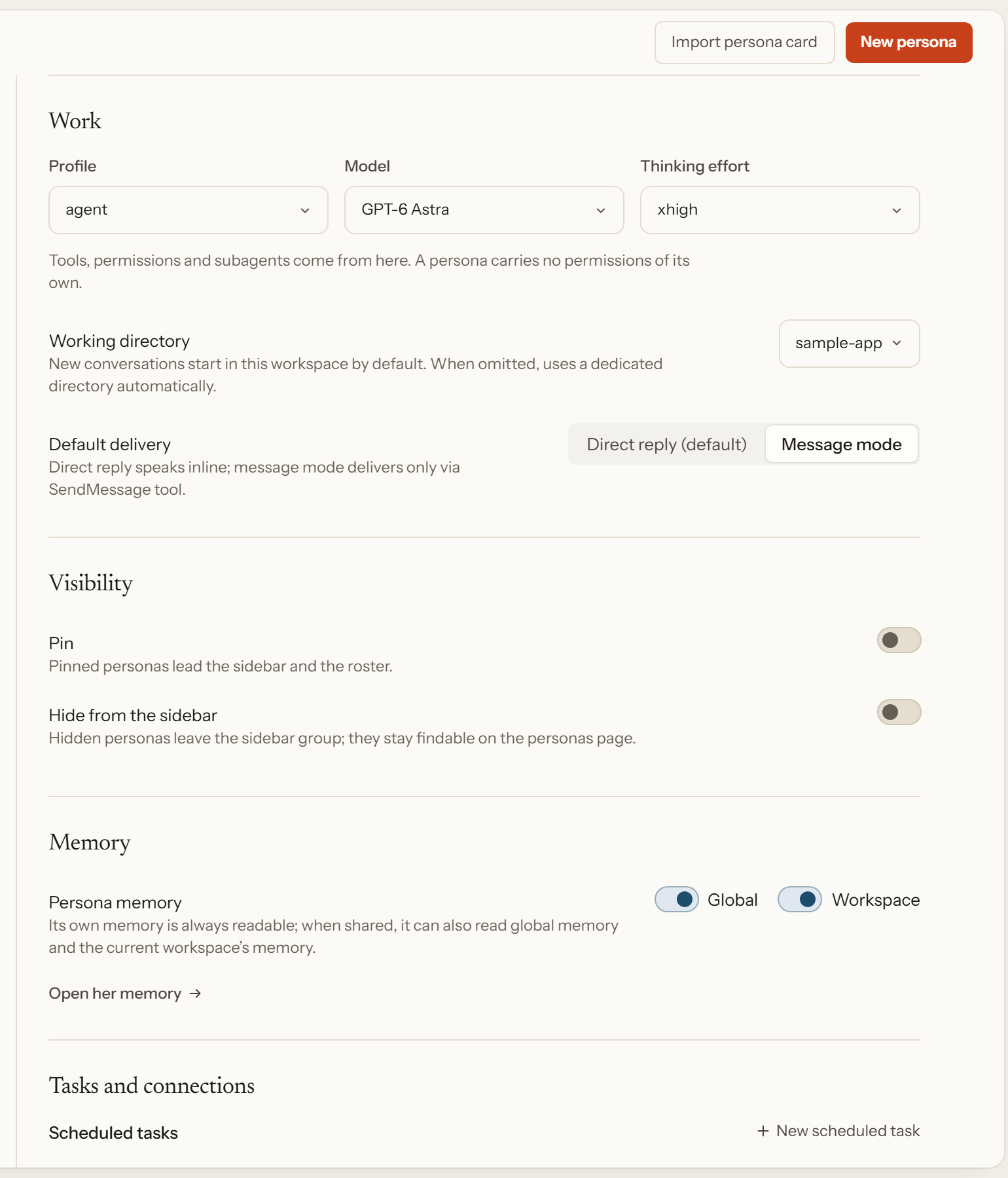
model_alias and thinking_effort are optional: they select a configured model and effort for this persona, and they do not grant permissions. A tools field is rejected, because tools belong to the profile.
The Personas page is the form view of that file. One persona's settings in a single column: which profile it rides on, its model and effort, the working directory its conversations start in, whether it is pinned to the sidebar, and which memory bodies it can read.
Two behaviors are worth knowing before you edit. Each session freezes its own persona snapshot, so changing the card does not silently alter a conversation already in flight — start a new session, or rebuild its context, to apply the edit. And the opening greeting is local presentation until you explicitly reply to it; simply opening the conversation does not put it into the model's history.
The Personas page also imports and exports Character Card V3 in JSON, PNG, and CHARX, and the avatar picker takes PNG, JPEG, or WebP. Remove avatar restores the initials without deleting the persona or its memories; a duplicate creates a new identity without copying conversation state or private memory; archive hides a persona from ordinary selection without erasing it.
See Personas, Bots, and rooms for the full card reference.
Daily conversation
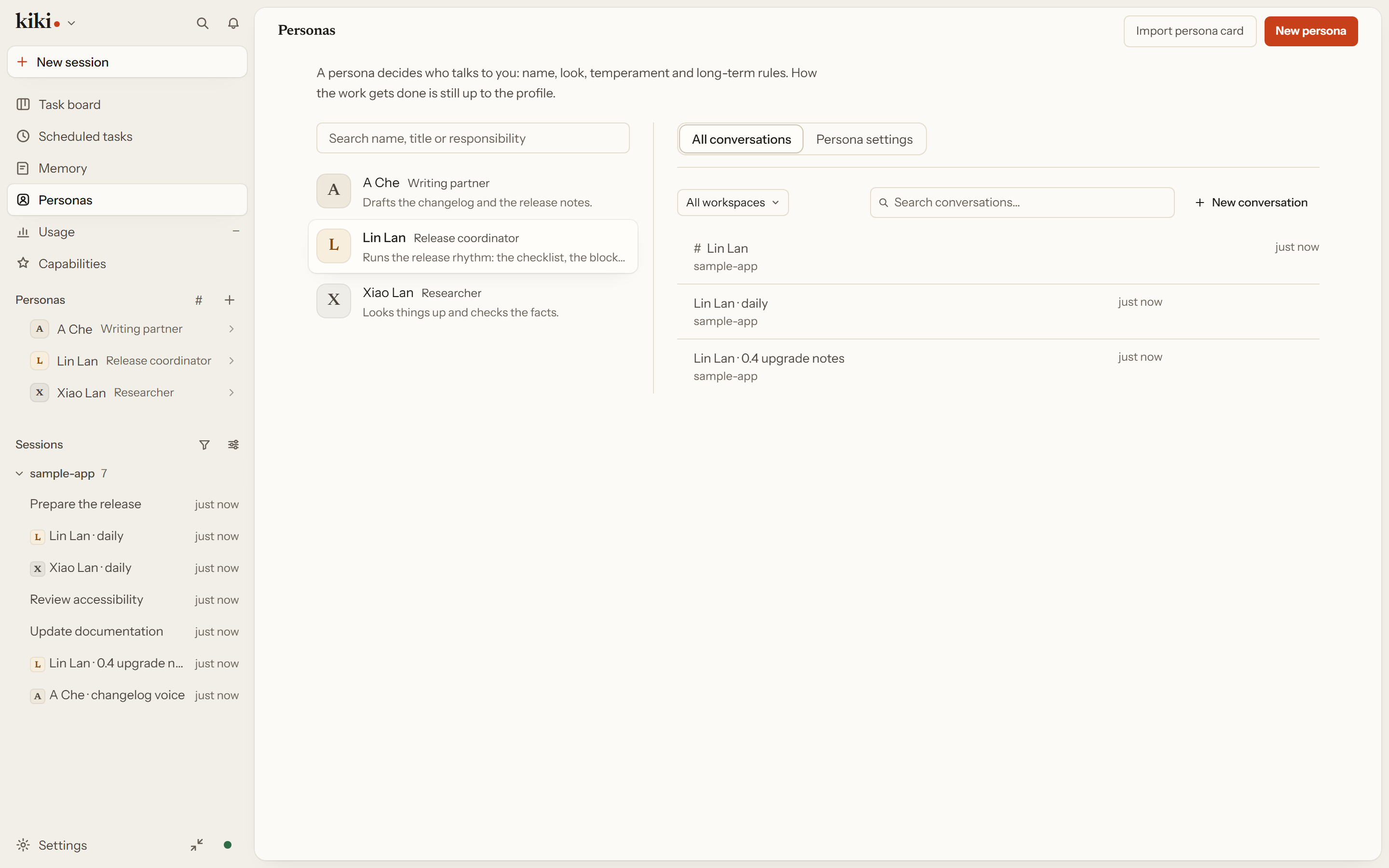
Every persona has a stable address for its daily conversation — the same entry the sidebar row, the switcher, the header, and the persona page all point at. Clicking a persona's name lands you in that one conversation, so "ask Xiaolan" means the same thing every time. If it does not exist yet, the entry opens a fresh daily draft and adopts it once it exists.
A daily conversation is not a limit. The same persona can hold several conversations at once — a second one for a different project, say — and the persona page lists them, so you switch between them from there. Which conversation is the daily one is a property of the persona, not a separate setting: choosing a different conversation from that list moves the daily entry to it.
This same conversation is where a persona is reachable without you typing to it. A scheduled prompt, a message from another persona, and a room seat all address a persona through this persistent conversation rather than through some separate copy of it, and the persona keeps its own working directory for it — by default under the Kiki home, or the one the card names. A persona that only chats with you needs nothing set up; it already has an address.
Persona memory
Persona memory follows the persona, across profiles and models — switching the model does not lose what it knows. Persona-specific entries stay isolated from other personas. By default the persona can also read the shared global and workspace memory; set memory.shared: [] to exclude those. Deleting a persona also removes its persona memory namespaces, and if that cleanup fails the deletion reports the error and keeps the card so you can retry.
The /memory page exposes the persona scope alongside global and workspace, including the namespaces its persistent conversation uses. See Memory and Personas, Bots, and rooms.
Discussion rooms
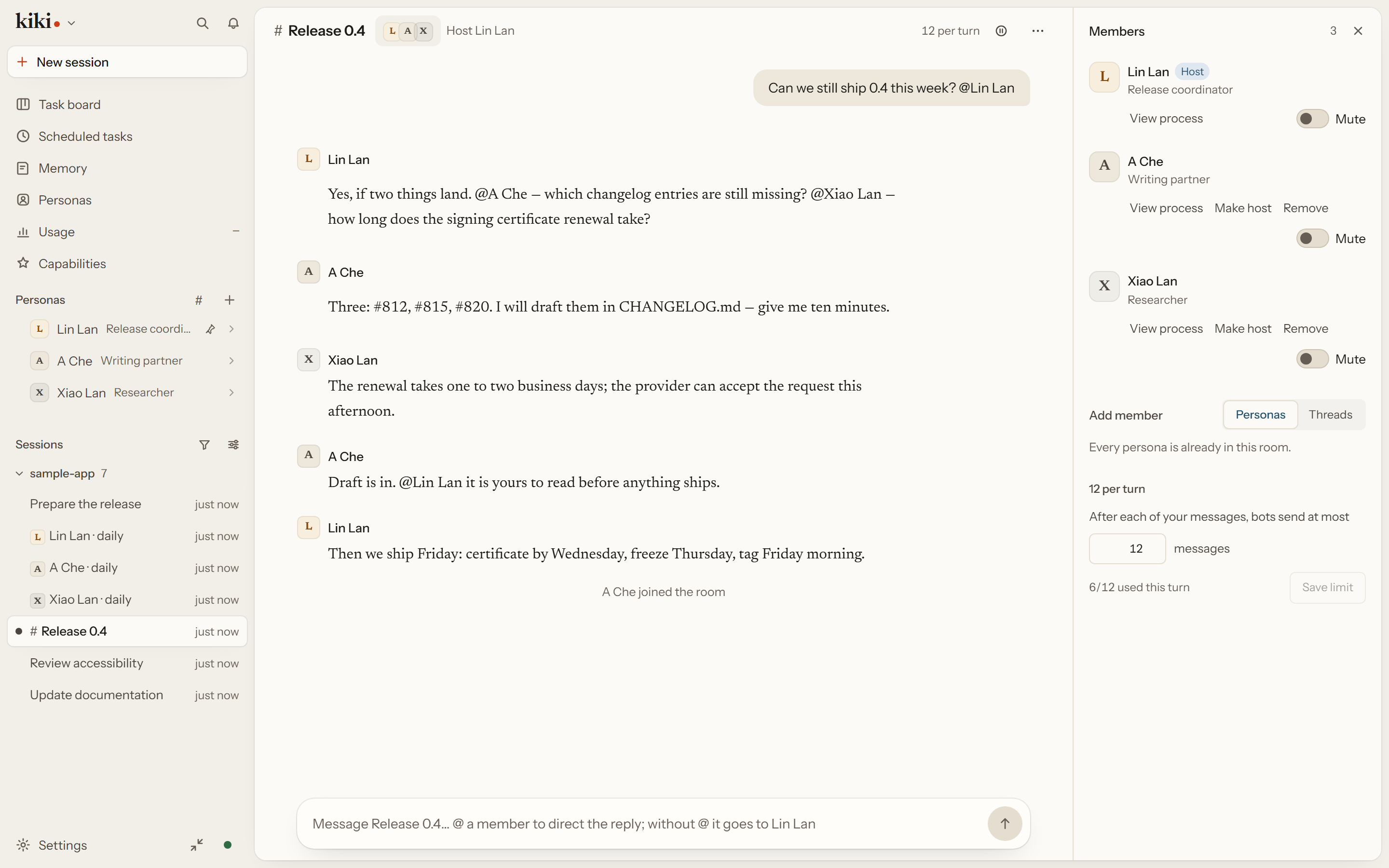
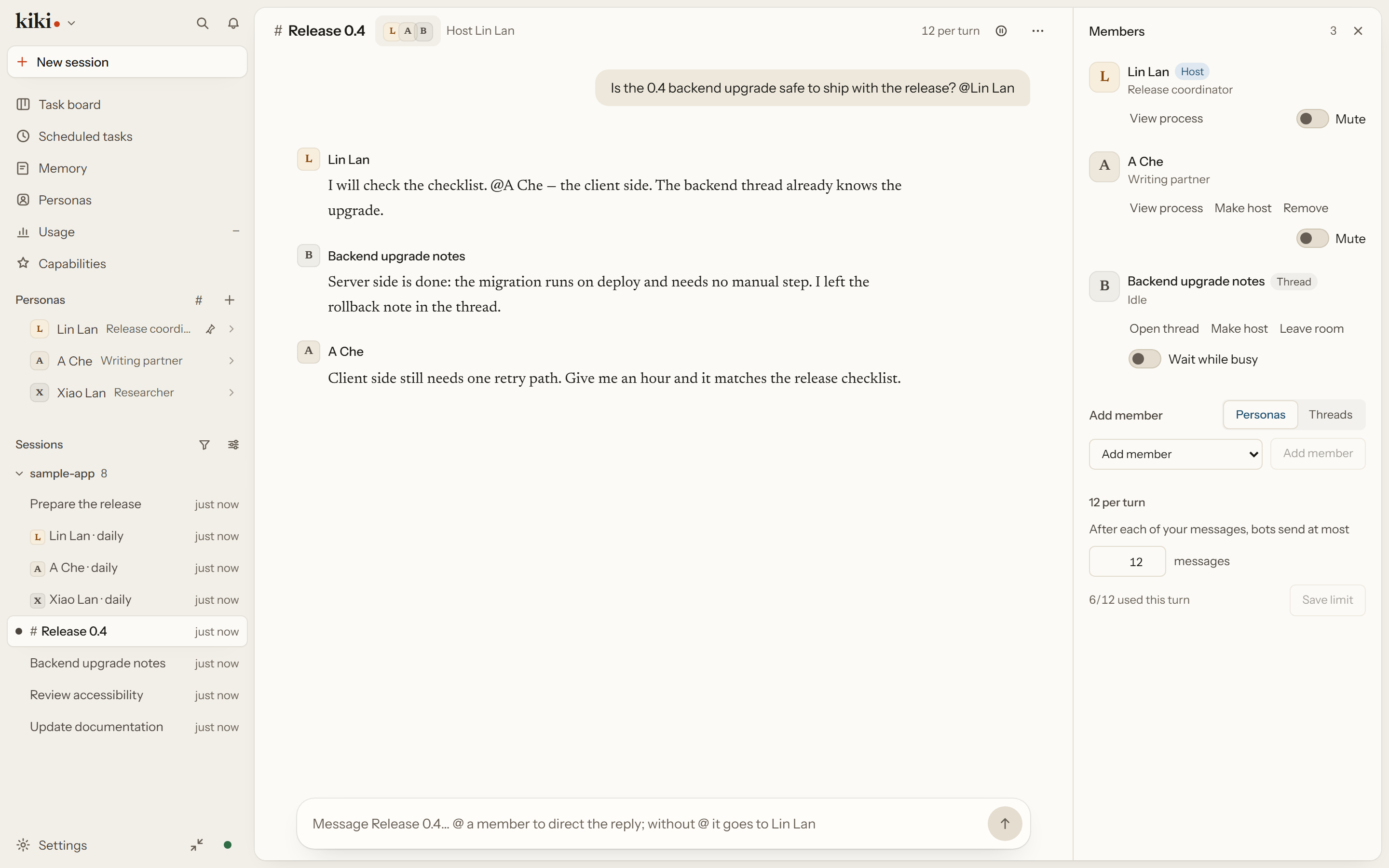
A room gives two to six members a shared conversation with a host, a budget, and pause and continue. Persona members get their own message-mode sessions inside the room; existing threads can join as themselves, keeping their own sessions, workspaces, and permissions. In the GUI, Ctrl/⌘-click threads in the sidebar and choose Pull into a new room, use Add to room… on a thread, add them from the Threads tab under Add member, or pick Open a room with these threads on a thread link.
Persona turns run in order; existing threads each have their own queue. A member catches up on room messages when it wakes. Older queued notifications already covered by a successfully completed catch-up do not start another turn. Scheduling follows three rules:
- A user mention wakes the named members;
@everyoneselects all of them. - A user message with no mention goes to the host, whether the host is a persona or a thread.
- A persona or thread room message wakes only the members it mentions. A message with no mentions is logged but wakes no one.
The budget limits member messages after each user message — 12 by default. When it runs out the discussion pauses, and Continue resets the budget and resumes the retained work. Pause cancels queued wakes but lets the active turn finish.
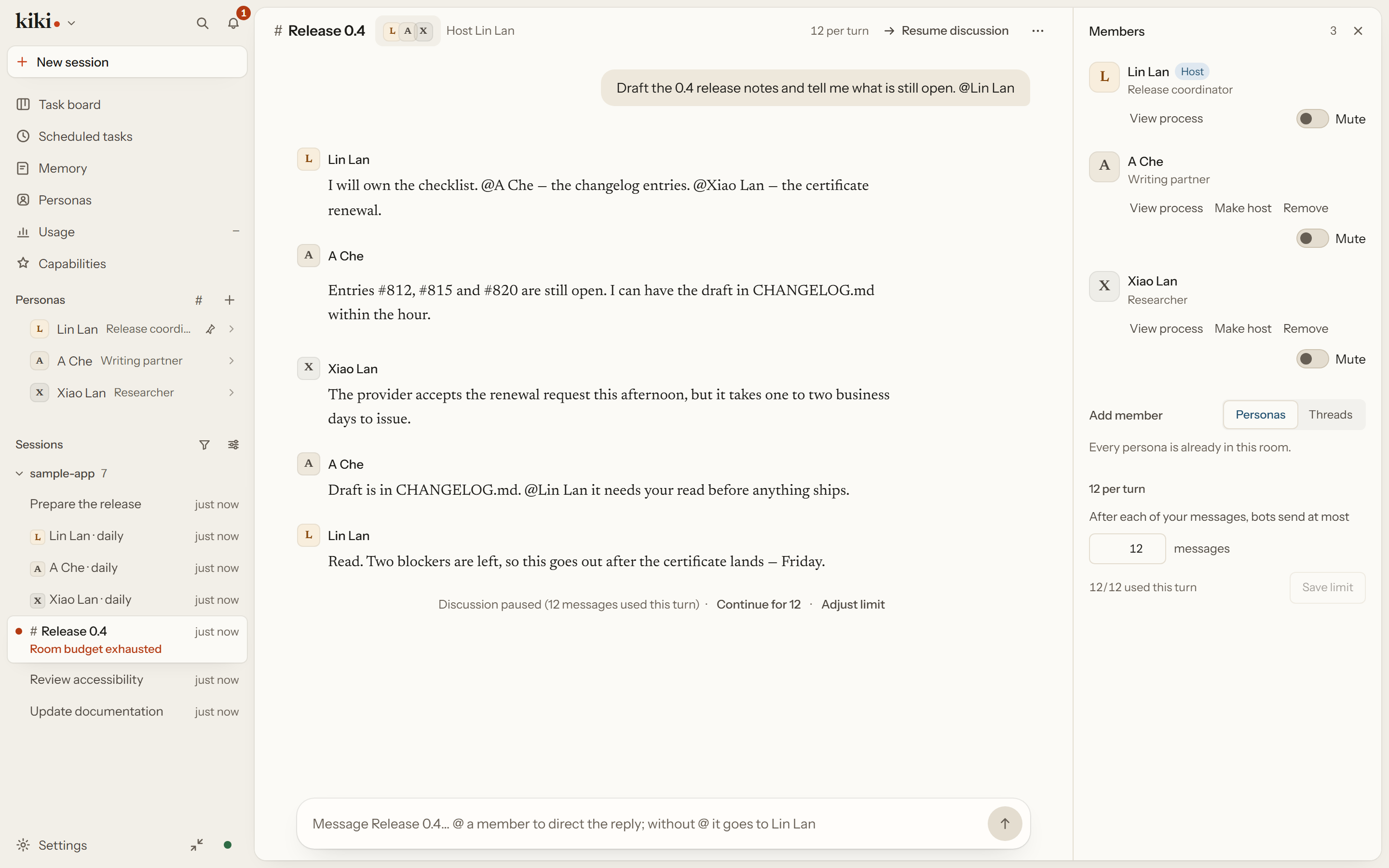
Renaming, changing the host, muting, and reassigning the classification workspace never rewrite a member's system prompt or permissions. A member that cannot wake shows the failure and a recovery action rather than a promise of an automatic retry: for a model login failure, sign in under Settings → Models & providers → Providers & accounts, or open the member's conversation and pick an available model, then send another room message and mention it if it is not the host.
See Discuss in a room and Collaboration tools.
Next steps
- Personas, Bots, and rooms — the full reference for personas, home conversations, and rooms
- Agent profiles: concepts and design — the execution side: tools, permissions, model, prompt
- Goals, Queues, Cron & Memory — what personas remember across sessions