
Subagents & Multi-Model
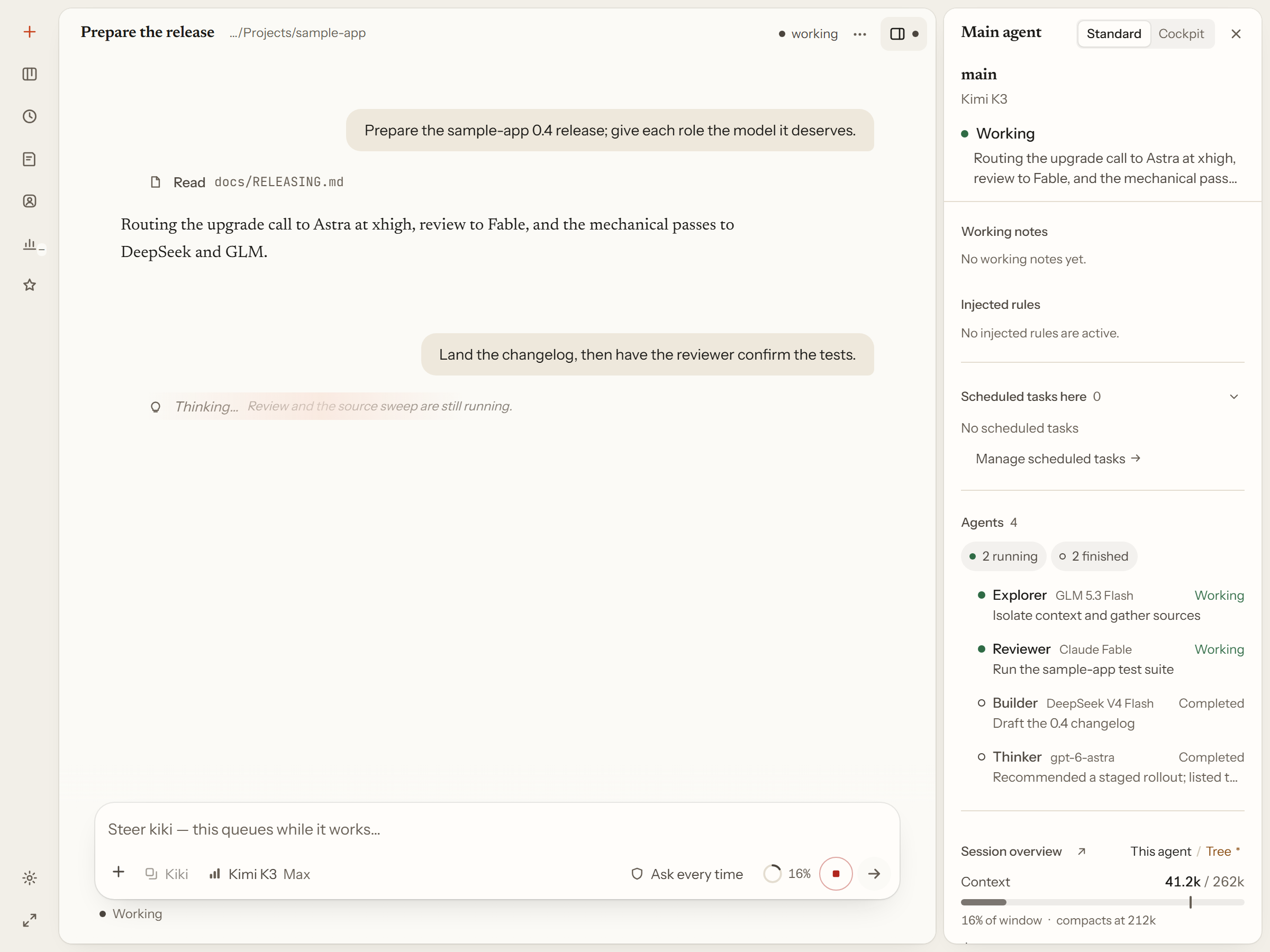
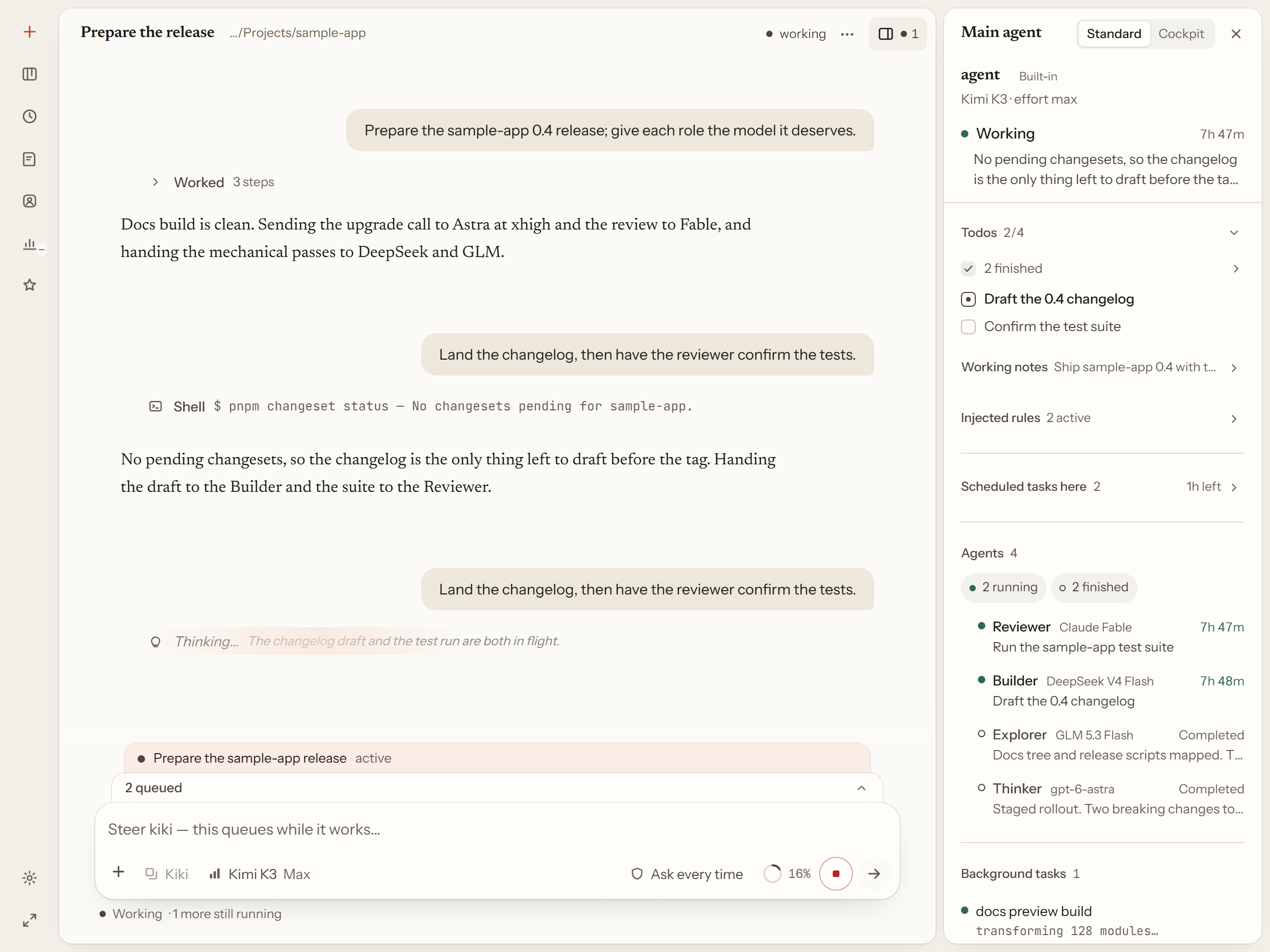
Every Kiki session has one main agent. When the job is bigger than a single turn, the main agent splits it and dispatches subagents — each with its own isolated context — and you can watch all of it in one window. This page covers what the workbench does with one task: how the main session fans out, how each role can run a different model, where a subagent's own work lives, and what happens in the background while you talk to the lead.
One local daemon
The desktop app, the terminal UI (kiki), and the browser UI (kiki web) are three front ends to the same local daemon. They read and write the same session data, so a session you start in the terminal is the session you open in the browser, and vice versa. That is the "one workbench" part: pick whichever surface fits the moment.
- Kiki desktop for the full window with the right rail
- First launch for the terminal path
- Local server and API for the browser path
Subagent dispatch
You hand the main agent a task — a coding change, a research question, a bug to track down. It plans, calls tools, and when the work divides cleanly it dispatches subagents to handle the focused pieces: exploring an unfamiliar codebase, reviewing several implementations in parallel, or planning a large refactor without touching the main context.
A subagent receives a task description and works in its own isolated context, then hands back its conclusions and reports when it finishes. Its full reasoning and tool call records are not poured into the main agent's history, which is what lets you run four or five lines at once without the main context drowning in details. You can still open any of them and read every step for yourself.
Fresh installs ship two subagent profiles: general, a general-purpose assistant, and explore, a read-only explorer. Dispatch is scheduled by the main agent, based on task complexity, context consumption, and whether the sub-tasks are independent — you do not have to name one. You can, though: tell the main agent directly, and under the manual permission mode each dispatch also stops for your approval.
See Agents and Sub-Agents for the full dispatch contract, context isolation, and permission inheritance.
Per-role models
Different lines of work do not have to share a model. Bind the main agent, each subagent, and the reviewer to different models — or different vendors — and one session runs all of them at once. A strong reasoning model can plan while cheaper models do the routine work, and a reviewer running on a different model family brings an outside perspective to the decision the implementer already made.
The main agent profile always receives three child-agent tools (AgentRun, AgentList, AgentSend) with no experiment flag, and each can name the model its child should run. If no model is pinned anywhere, a dispatch fails with model.not_configured rather than silently guessing. Kimi works out of the box; Anthropic, OpenAI-compatible services, the OpenAI Responses API, Gemini, and Vertex AI can be added, and you can sign in with a GitHub Copilot or ChatGPT account.
Model selection, hard model boundaries, and the model menu are covered in Providers and models and Agent profiles: concepts and design.
Subagent transcripts
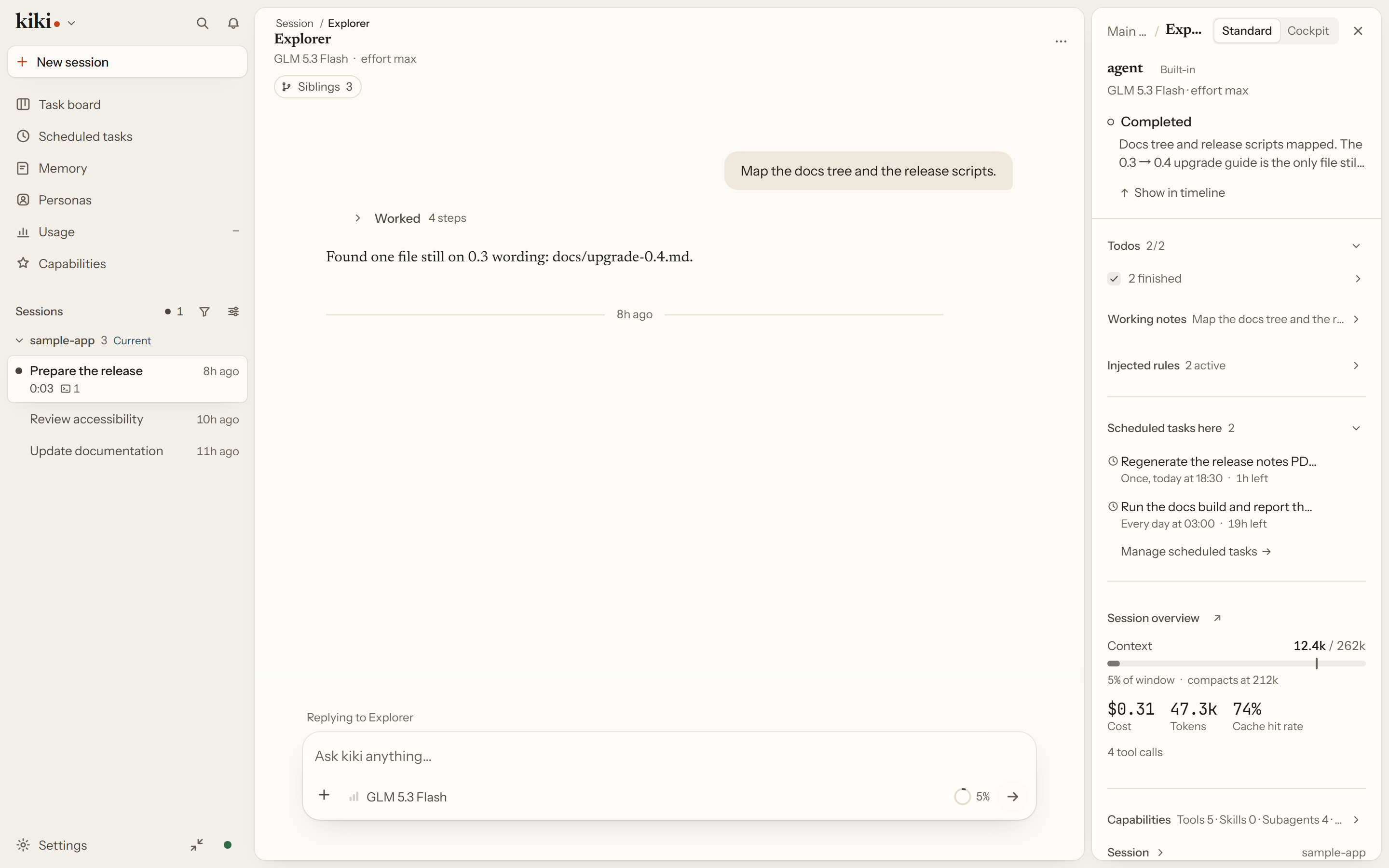
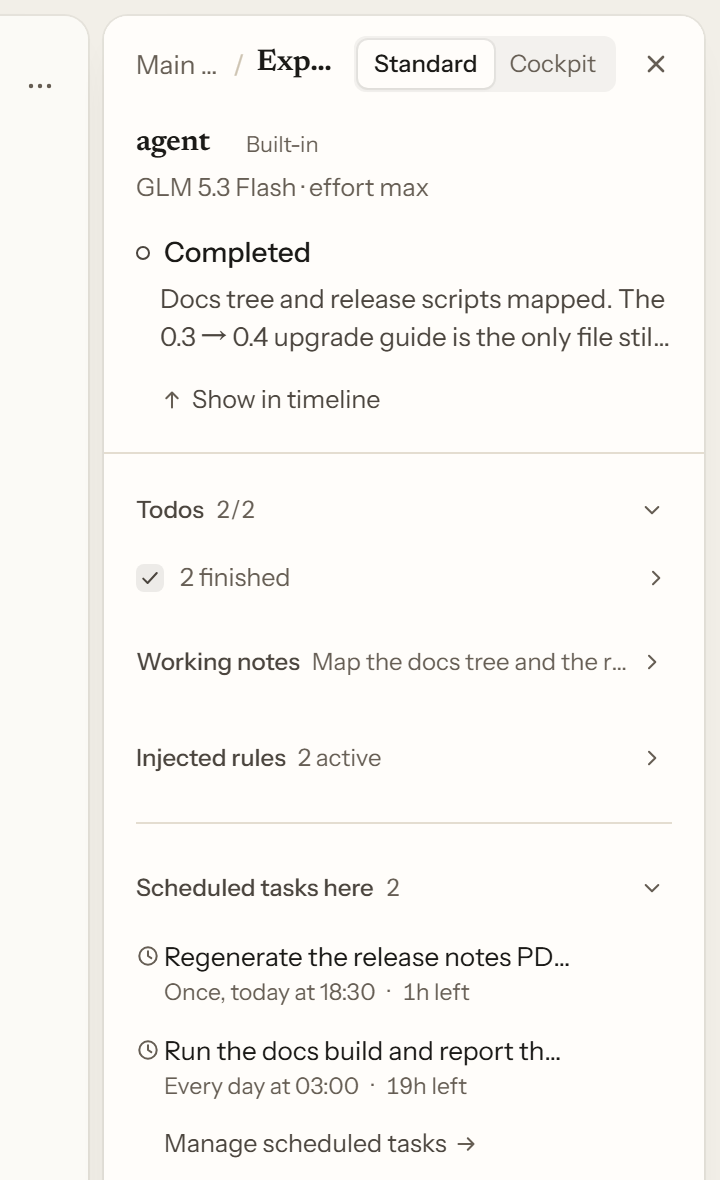
Open any dispatched subagent to read its own transcript: what it was asked, what it did, and what it concluded — next to the main session, without loading the main agent's conversation. The same right rail follows you into the subagent, so you can inspect its context and cost the same way.
You can also message a running subagent from its own composer, and pick it back up later with AgentRun to continue the same task instead of starting over. See Agents and Sub-Agents and the right rail.
Background tasks
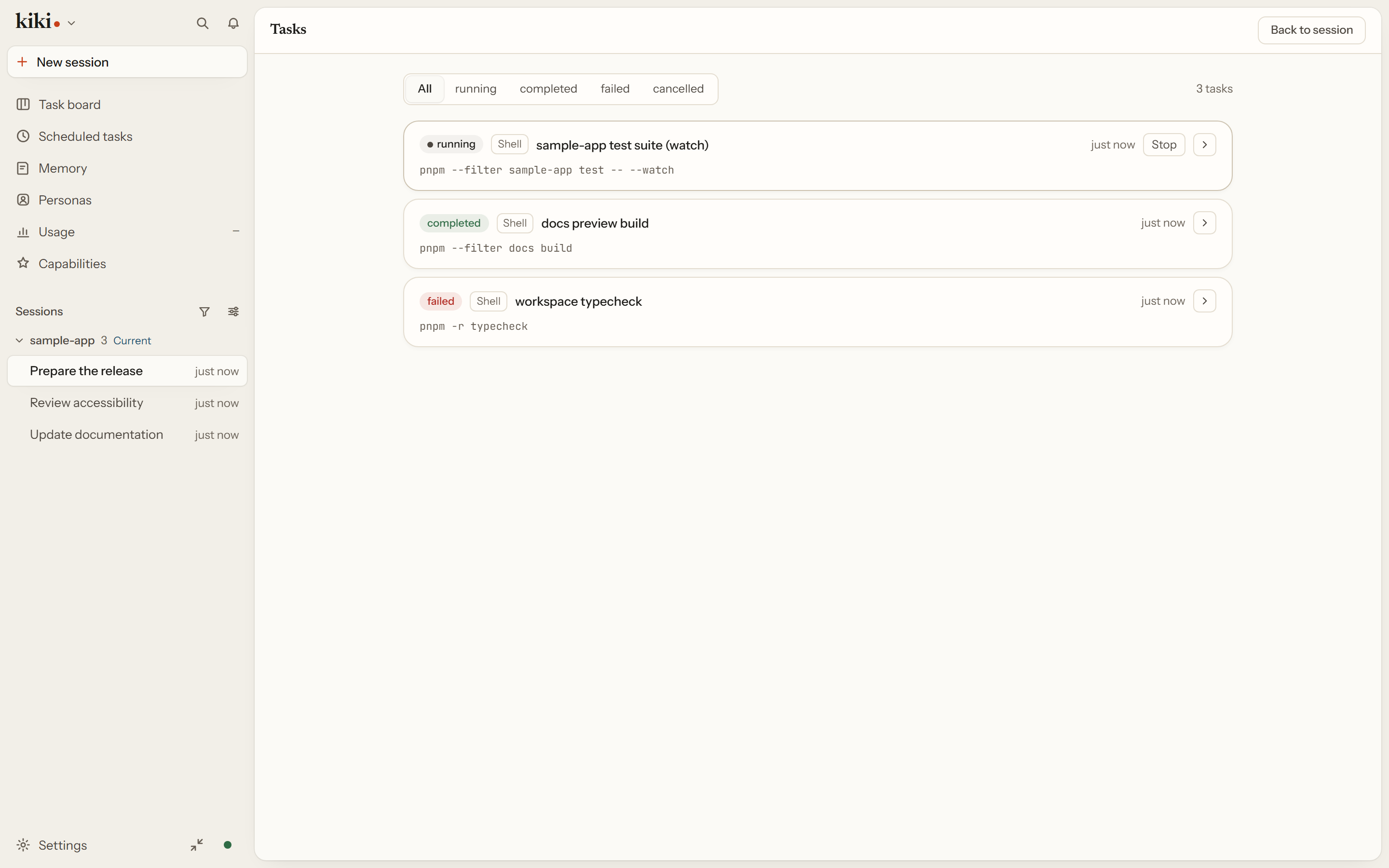
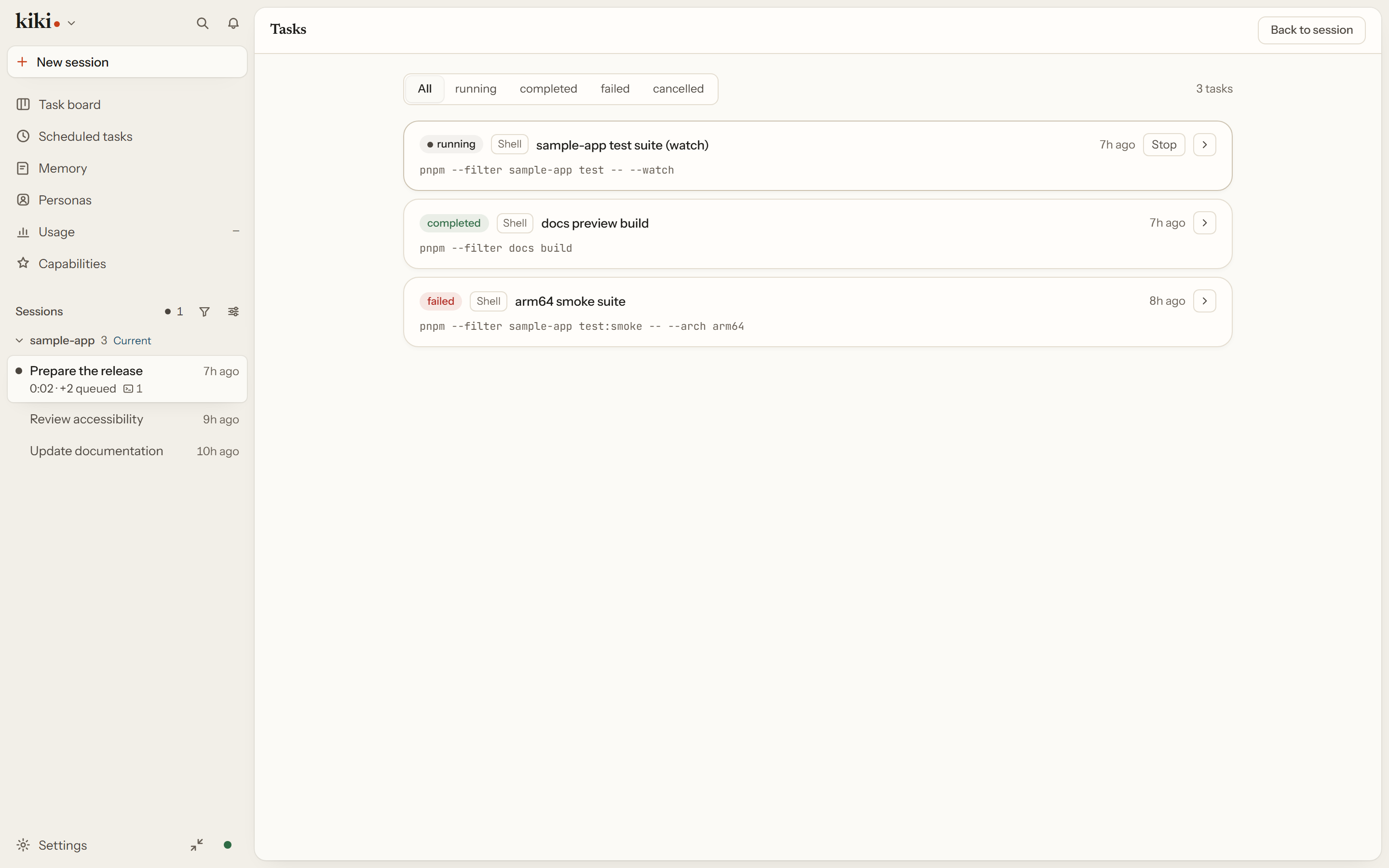
Long shell commands and subagents do not have to hold the foreground. Send them to the background and Kiki notifies the main agent automatically when they finish, with the result inline and the full-output path retained — so neither you nor the agent has to keep checking. You can inspect a running task's status and output, and stop one at any time. Stopping an agent task also reports any direct subagents still running under it.
The main agent profile uses TaskList, TaskOutput, and TaskStop for background work. See Background tasks.
Next steps
- Goals, Queues, Cron & Memory — goals, the queue, scheduled tasks, the board, and memory
- Agents and Sub-Agents — the full dispatch and model-binding reference
- Interface overview — how the workbench window is arranged